

DOCUMENT MANAGEMENT SYSTEM
Document Management Systems in Singapore
ADSM develops document management software for Singapore businesses, with file organisation, version control, access permissions and approval workflows.
01
Centralises business documents.
02
Supports approval and version workflows.
03
Tracks user activity and download history.
04
Can add AI document processing later.
BUSINESS PROBLEM
Documents are hard to manage across folders and chats.
Important files can be duplicated, misplaced, outdated, or shared with the wrong people when there is no clear system.
01
Scattered files
Documents sit across email, local folders, WhatsApp, and shared drives.
02
Version confusion
Teams may not know which file is latest or approved.
03
Limited control
Access, download, and approval activity can be hard to monitor.
SOLUTION OVERVIEW
A DMS for document control and visibility.
We build document systems with categories, permissions, approval flow, activity logs, and search-friendly organisation.
01
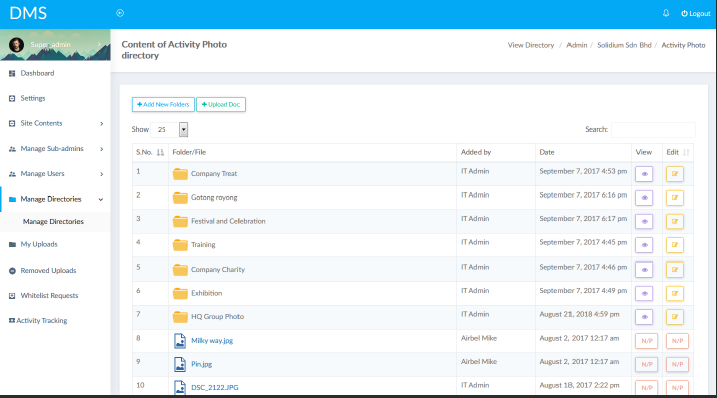
Organise documents
Store files by category, department, project, customer, or workflow.
02
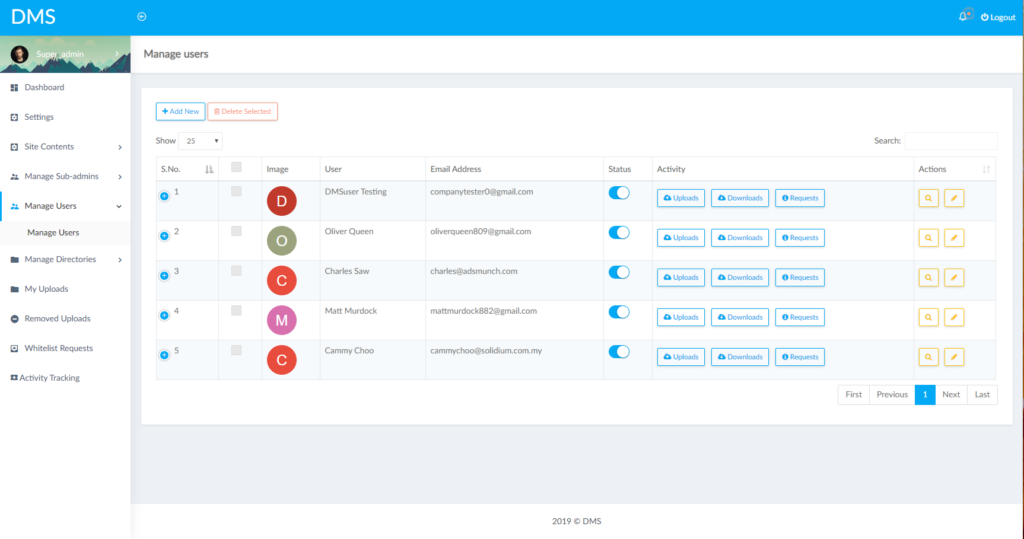
Control access
Define who can upload, view, approve, download, or manage documents.
03
Prepare for AI
A structured DMS can later support AI extraction, summary, and classification.
KEY FEATURES
DMS features.
The system can be planned around your document type and approval needs.
01
Document library
Store and categorise files in a structured way.
02
Access control
Manage permissions by role, department, or user.
03
Approval workflow
Review and approve documents before release.
04
Version tracking
Keep records of document changes and latest versions.
05
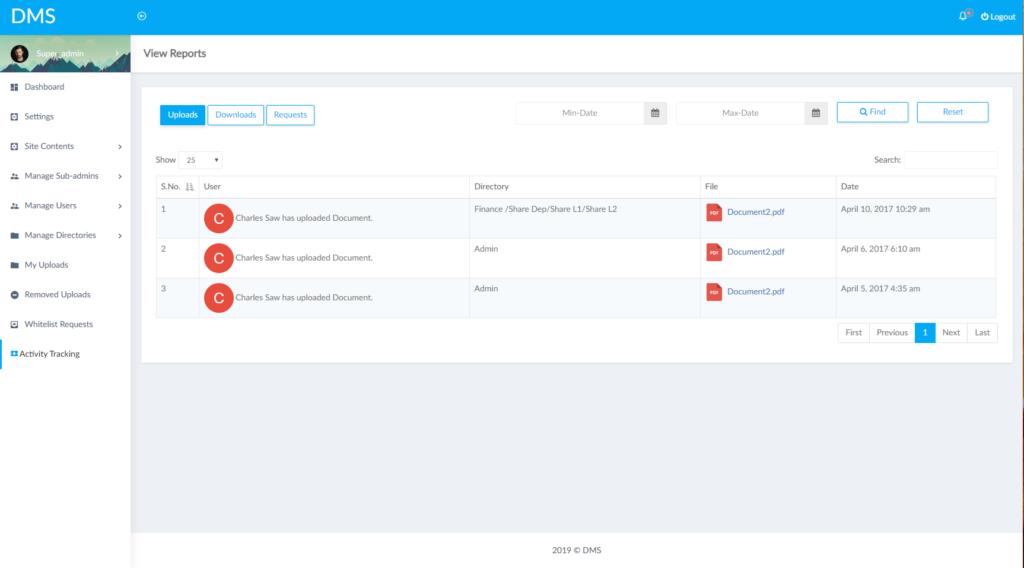
Activity logs
Track uploads, downloads, reviews, and approvals.
06
AI document processing
Add extraction, classification, or summary workflows later.
USE CASES
DMS use cases.
Useful when documents require control, visibility, and review.
01
Policy documents
Manage company policies and approved versions.
02
Customer files
Store documents linked to customer records.
03
Vendor documents
Collect and review supplier submissions.
04
Project files
Organise project-related documents and approvals.
05
HR documents
Store forms, resumes, and employee documents.
06
Audit records
Track access and document activity history.
PROCESS
DMS project flow.
We start by classifying document types and access rules.
01
Understand the workflow
We review your document flow, user access, approval rules, and storage goals.
02
Plan the first version
We define a practical document system MVP around the most used files and approvals.
03
Build and test
We build the document workflow and test it with real upload, review, and retrieval scenarios.
04
Improve after launch
We refine folders, permissions, reports, and automation based on document usage.
FAQ
DMS FAQ.
Common questions about document management systems.
Can users have different permissions?
Yes. Role-based access can control viewing, uploading, approving, and downloading.
Can approval flow be included?
Yes. Document review and approval can be built into the system.
Can activity be tracked?
Yes. Upload, download, and approval activity can be logged.
Can AI read documents?
Yes. AI extraction or summarisation can be added when the document workflow is ready.
A DMS creates the structure needed for practical AI document processing, because files become organised and traceable.
READY TO IMPROVE?
Need better document control?
We can help plan a DMS that fits your approval and access workflow.