

AI AGENT DEVELOPMENT
AI Agent Development Singapore
Build custom AI agents for Singapore SMEs with ADSM: connect business knowledge and systems, automate defined tasks and keep staff in control.
An AI agent can read information, choose a next step within agreed rules and use connected tools to carry out part of a business workflow. ADSM develops agents around your actual process, rather than adding an open-ended chatbot to every task.
BUSINESS PROBLEM
Enquiries and tasks still need someone to join the dots.
A reply alone does not complete a workflow. Staff may still search for the right document, check a customer record, copy information and assign the next action.
01
Repeated checking
Staff switch between email, documents and customer records to answer the same operational questions.
02
Disconnected actions
A conversation ends without an owner, task or reliable update in the business system.
03
Unclear boundaries
An unrestricted agent could act on incomplete information or use data beyond the task it was given.
SOLUTION OVERVIEW
Give the agent a defined job, not unlimited authority.
We design the inputs, approved knowledge, permitted tools and escalation rules together. The agent assists within those boundaries, while staff retain responsibility for sensitive actions.
01
Understand approved information
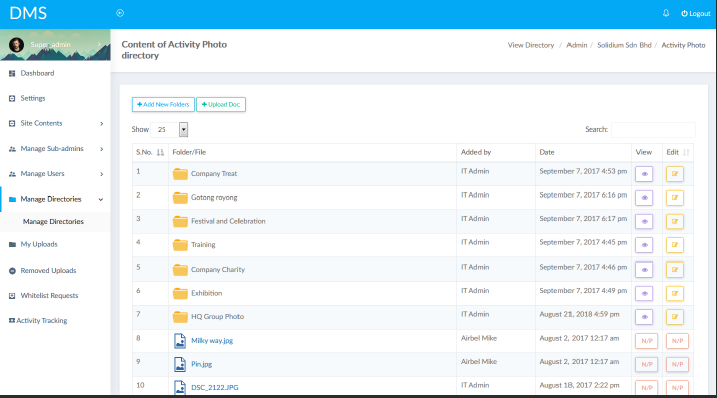
Connect relevant product information, policies, internal documents or customer records. Define which sources are current and which users can access them. Where the evidence is missing, the agent should ask for clarification or hand over.
02
Carry out controlled actions
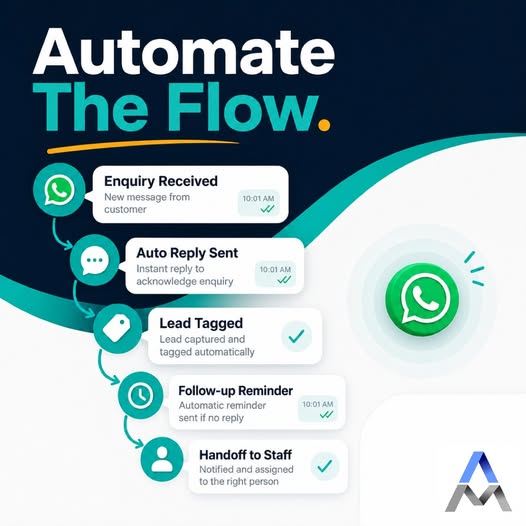
An agent might classify an enquiry, retrieve a record, prepare a reply and create a follow-up task. CRM, ERP and database actions need agreed permissions, validation and a record of what changed.
03
Keep staff in the decision loop
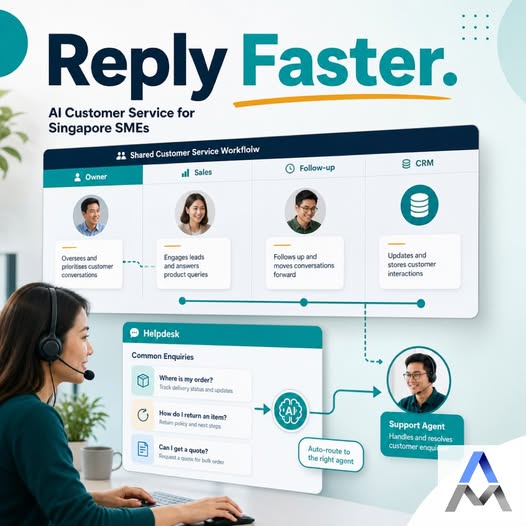
Require approval before releasing a quotation, sending a sensitive message or changing an important record. Add limits, exception queues and a way to pause the workflow when a case falls outside the agreed scope.
SCOPE & USE CASES
What the workflow can include.
The final scope depends on your data, existing systems and the controls needed by your team.
01
Sales enquiries
Collect requirements, check approved product information and prepare the next action for a salesperson.
02
Customer service
Answer routine questions from approved knowledge, gather missing details and escalate cases requiring judgement.
03
Internal knowledge
Help staff locate relevant policies and documents, with source references where the workflow supports them.
04
Email and documents
Classify incoming messages, extract required fields and prepare a record for review rather than copying every attachment manually.
05
WhatsApp and voice
Use the appropriate channel for the task. AI WhatsApp and voice-agent workflows are scoped separately, including handover and contact requirements.
06
System-connected agents
Use available APIs to retrieve or update permitted records. Check failures and duplicate actions before a retry.
IMPLEMENTATION
Start with a focused pilot.
Agree the task, acceptance criteria and review responsibilities before expanding.
01
Define the task
Choose one repeated workflow, its owner and clear acceptance criteria. Include examples of cases the agent must not handle.
02
Prepare knowledge and access
Review sample data, source quality, permissions and the tools the agent may use.
03
Build a proof of concept
Test representative normal and difficult cases in a controlled environment, including incorrect and missing inputs.
04
Pilot and improve
Review action logs, staff corrections and exceptions. Expand only after the team is comfortable with the results.
FAQ
Questions before starting.
Practical considerations for scoping the first version.
How is an AI agent different from a chatbot?
A chatbot usually focuses on conversation. An agent can also select and use permitted tools to carry out workflow steps. The distinction depends on the implementation; not every enquiry needs an agent.
Can it work with our CRM or ERP?
We first assess APIs, access permissions and the quality of existing records. A scoped integration can let the agent retrieve information or prepare updates without replacing the core system.
Does the agent need all our company data?
No. Give it only the sources and permissions required for its task. Access boundaries, retention and handling of sensitive information should be agreed before deployment.
Can staff approve actions first?
Yes. Approval can be required for messages, quotations and record changes. Low-confidence or out-of-scope cases should go to a person.
How much does AI agent development cost?
It depends on the number of workflows, knowledge preparation, integrations, approval controls and usage. We scope a small proof of concept before proposing a wider rollout; ongoing platform and usage costs should be itemised.
How long does a proof of concept take?
Timing depends on data readiness, system access and the chosen workflow. After reviewing a few representative examples, we agree a bounded scope, acceptance checks and delivery timetable.
RELATED SERVICES
Connect the next part of the workflow.
Explore the AI Solutions hub for the wider service range.
Custom AI development | Connect existing systems | Document processing | AI WhatsApp | AI calling for lead qualification
DISCUSS YOUR WORKFLOW
Discuss an AI agent for your workflow
Send us a non-sensitive example of the current process and the result your team needs. We can discuss suitability, scope and a practical next step.