

AI SYSTEM INTEGRATION
AI Integration Services Singapore
Connect AI with your existing CRM, ERP, email and business systems. ADSM scopes integrations for Singapore SMEs with validation and staff approval.
Your business may not need a replacement CRM or ERP to use AI. ADSM assesses how AI can work around existing systems, using available APIs, databases and controlled file exchanges to assist with specific tasks.
BUSINESS PROBLEM
Useful AI output still sits outside the business system.
A summary or extracted spreadsheet saves little effort if someone must copy it into the correct record, check permissions and repair duplicate updates. Integration turns a useful output into a controlled next step.
01
Repeated data entry
Teams copy customer details, product information and document fields between tools.
02
Different sources of truth
A suggested answer may use old pricing or outdated stock information while the operational system has newer records.
03
Uncontrolled updates
Failed requests, duplicate submissions and missing approvals can create errors in downstream systems.
SOLUTION OVERVIEW
Add AI around the systems you already use.
Connect the workflow in four controlled stages. Each connection needs a clear owner and a defined failure path.
- Existing system. Read the agreed information from your CRM, ERP, portal or database through a supported interface.
- AI processing. Extract, classify or summarise information for the specific task, using only the permitted data.
- Business rules and approved knowledge. Validate required fields, check the source records and flag missing or inconsistent information.
- Staff review or permitted action. Route sensitive or uncertain results for approval. Carry out only the agreed actions and record the outcome.
01
Read the right information
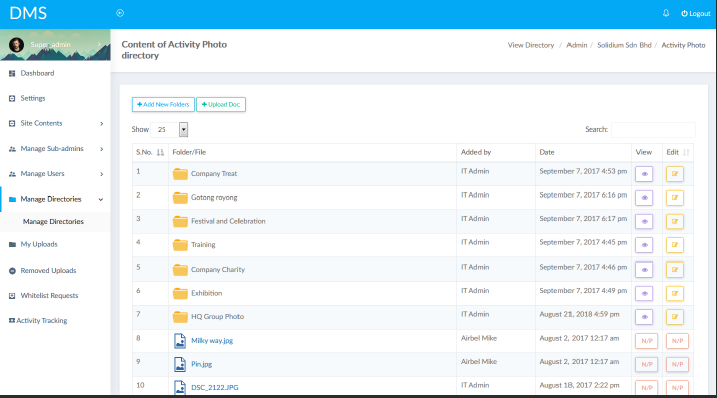
Check which system owns customer, product, stock and pricing data. Use only the fields and permissions needed for the task, and make freshness requirements explicit.
02
Validate before acting
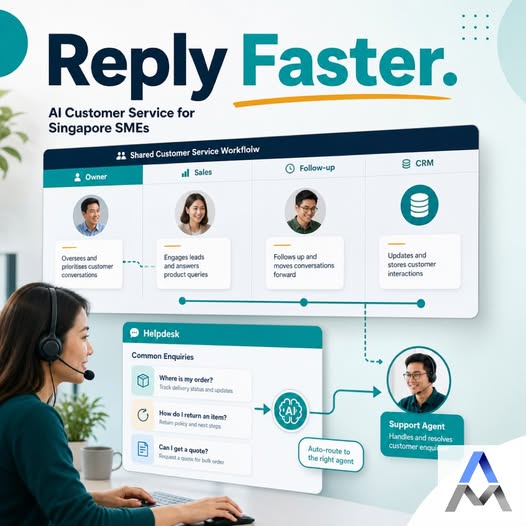
Validate required fields and identifiers, check business rules and route exceptions to staff. For pricing or customer-facing changes, agree the approval step before enabling write access.
03
Handle failures visibly
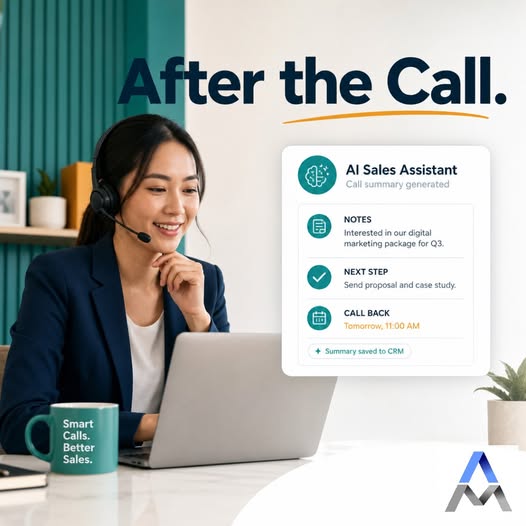
Record successful actions, failures and retries. Prevent duplicate updates, notify the responsible person and keep a manual fallback when an external system is unavailable.
SCOPE & USE CASES
What the workflow can include.
The final scope depends on your data, existing systems and the controls needed by your team.
01
CRM connections
Prepare lead records, conversation summaries and follow-up tasks with clear ownership and duplicate checks.
02
ERP and inventory
Retrieve approved item, customer or stock information where the system supports it. Confirm update rules before writing back.
03
Email workflows
Turn incoming messages and attachments into classified requests or draft records for review.
04
Portals and databases
Add AI assistance within an existing staff or customer portal rather than introducing another disconnected application.
05
APIs and file exchange
Use supported APIs where available. Controlled CSV or Excel exchange may be suitable when a direct integration is unavailable.
06
Permissions and monitoring
Separate read and write access, keep credentials protected and give the team visibility into exceptions and usage.
IMPLEMENTATION
Start with a focused pilot.
Agree the task, acceptance criteria and review responsibilities before expanding.
01
Map the systems
List the data owners, APIs, access rules and current manual handoffs. Check vendor restrictions early.
02
Design the connection
Define field mapping, validation, approvals, data handling and the behaviour when a request fails.
03
Test safely
Use a test environment or limited sample records to check normal cases, duplicates, missing fields and unavailable systems.
04
Release in stages
Start with a limited workflow, monitor outcomes and retain a rollback or manual processing route.
FAQ
Questions before starting.
Practical considerations for scoping the first version.
Do we need to replace our CRM or ERP?
Often not. The first step is to check the current system and its supported interfaces. Integration may be possible without replacing the core platform.
Can you integrate with any system?
Not automatically. Feasibility depends on APIs, documentation, permissions, vendor restrictions and data quality. Systems without suitable access may need a limited file-based approach or a different workflow.
Can AI update records automatically?
It can be designed to perform permitted updates after validation. Sensitive or uncertain changes should require staff approval; the choice depends on the consequences of an error.
What happens if an API is unavailable?
The workflow should log the failure, notify the owner and use controlled retries or manual handling. Retries must not create duplicate records or repeat customer messages.
How is company data handled?
We agree the required data, authorised users, connected services and retention expectations during scoping. The solution should not send unrelated company information to an AI service.
What affects integration pricing?
The number of systems, API quality, data mapping, approval requirements and support needs affect the effort. Recurring platform or usage charges should be separated from development work.
RELATED SERVICES
Connect the next part of the workflow.
Explore the AI Solutions hub for the wider service range, or see how AI automation for business workflows connects a request, staff review and the next action.
AI agents with controlled actions | Custom AI applications | Document extraction workflows | ERP systems
DISCUSS YOUR WORKFLOW
Discuss your existing systems
Send us a non-sensitive example of the current process and the result your team needs. We can discuss suitability, scope and a practical next step.