

WMS SYSTEM
Warehouse Management Systems in Singapore
ADSM develops warehouse management software for Singapore SMEs, covering stock tracking, goods receiving, picking, packing and inventory reports.
01
Tracks stock and warehouse activity.
02
Supports receiving, picking, packing, and movement.
03
Can connect with ERP-style modules.
04
Useful for teams moving beyond spreadsheets.
BUSINESS PROBLEM
Warehouse activity is difficult to control manually.
Stock errors, unclear movement history, and manual updates can slow down fulfilment and reporting.
01
Stock mismatch
Inventory counts may not match real warehouse quantity.
02
Movement gaps
Teams may not know who moved stock and why.
03
Slow fulfilment
Picking and packing can become messy without clear workflow.
SOLUTION OVERVIEW
A WMS workflow for warehouse visibility.
We build warehouse systems that help teams track stock, movement, tasks, and fulfilment activity.
01
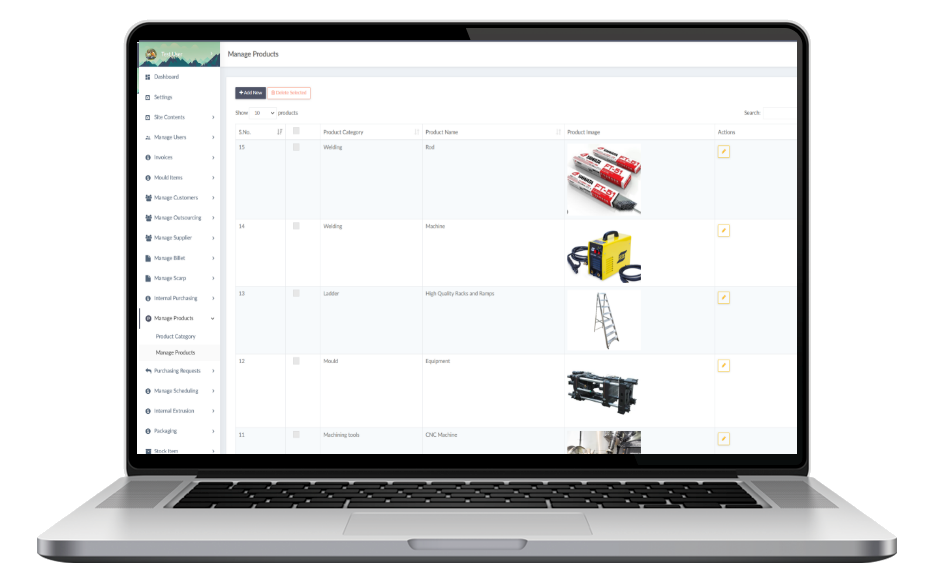
Track stock records
Maintain item, location, quantity, and movement records.
02
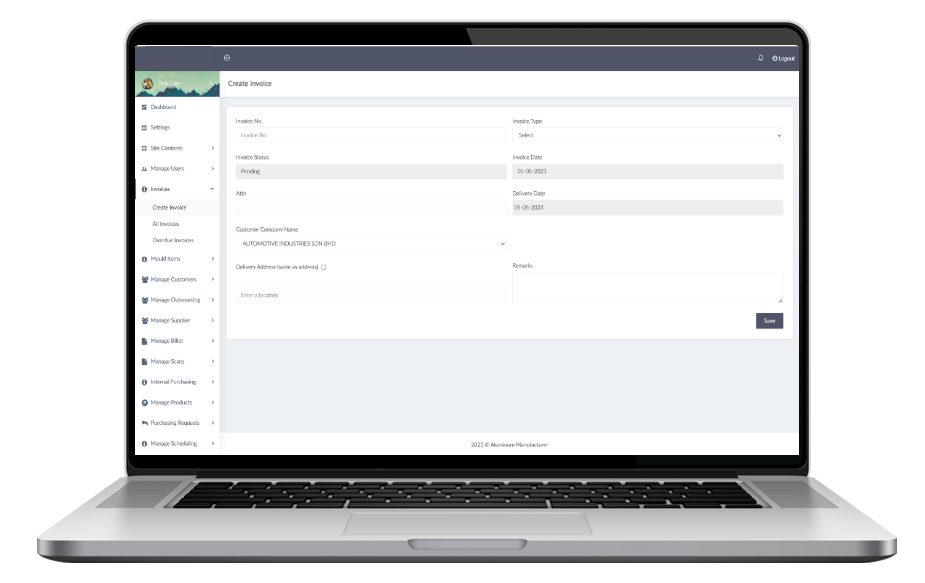
Manage movement
Support receiving, transfer, picking, packing, and outgoing records.
03
Report inventory status
Give managers clearer stock and activity visibility.
KEY FEATURES
WMS features.
The WMS can be customised to match warehouse size and process.
01
Item records
Manage SKUs, descriptions, categories, and stock locations.
02
Receiving
Record incoming goods and quantity checks.
03
Stock movement
Track transfers, adjustments, and outgoing movement.
04
Picking and packing
Support fulfilment tasks and status updates.
05
User activity
Log staff actions for better accountability.
06
Inventory reports
View stock balances, movement, and exceptions.
USE CASES
WMS use cases.
Useful when stock movement needs better accuracy and visibility.
01
Warehouse receiving
Record incoming stock and update quantities.
02
Order picking
Guide staff through picking and packing tasks.
03
Stock transfer
Move inventory between locations or branches.
04
Adjustment tracking
Record stock corrections with reasons.
05
Low stock alerts
Highlight items that need replenishment.
06
Manager review
View stock movement and warehouse activity.
PROCESS
WMS project flow.
We first understand how stock moves through the warehouse.
01
Understand the workflow
We review your warehouse movement, stock data, user roles, and fulfilment goals.
02
Plan the first version
We define a practical WMS MVP around receiving, stock tracking, and movement first.
03
Build and test
We build the warehouse workflow and test it with real inventory movement scenarios.
04
Improve after launch
We refine stock rules, reports, alerts, and automation based on warehouse usage.
FAQ
WMS FAQ.
Common questions about warehouse systems.
Can WMS replace spreadsheets?
Yes. A WMS can centralise stock records and movement history.
Can it support multiple locations?
Yes, depending on the planned scope.
Can staff use it on mobile?
Yes. The system can be mobile-friendly for warehouse use.
Can it connect with ERP?
Yes. WMS can connect with broader ERP-style workflows.
WMS is most valuable when movement rules, locations, and stock records are clearly defined before development.
READY TO IMPROVE?
Need clearer warehouse control?
We can help plan a practical WMS workflow for your stock movement.