

CASE STUDY
Document management system for organised files and approvals.
A DMS case study showing how companies can organise documents, control access, track activity, and prepare for AI document processing.

01
Document library and access control.
02
Approval workflow and activity logs.
03
Useful for business records and compliance support.
04
Can be extended with AI extraction and summarisation.
PROJECT CONTEXT
The business needed better document control.
Documents were difficult to manage when files were stored across folders, emails, shared links, and manual approval steps.
01
Scattered documents
Files were not always stored in a consistent structure.
02
Access concerns
Different users needed different permission levels.
03
Weak activity visibility
The team needed clearer records of uploads, downloads, and approvals.
SOLUTION STRUCTURE
A DMS structured around access, activity, and review.
The solution focused on organising documents into clear categories, adding permission control, and tracking document activity.
01
Structured document library
Files can be organised by category, department, customer, project, or document type.
- Document categories
- File upload and storage
- Search and filter
- Clear document records

02
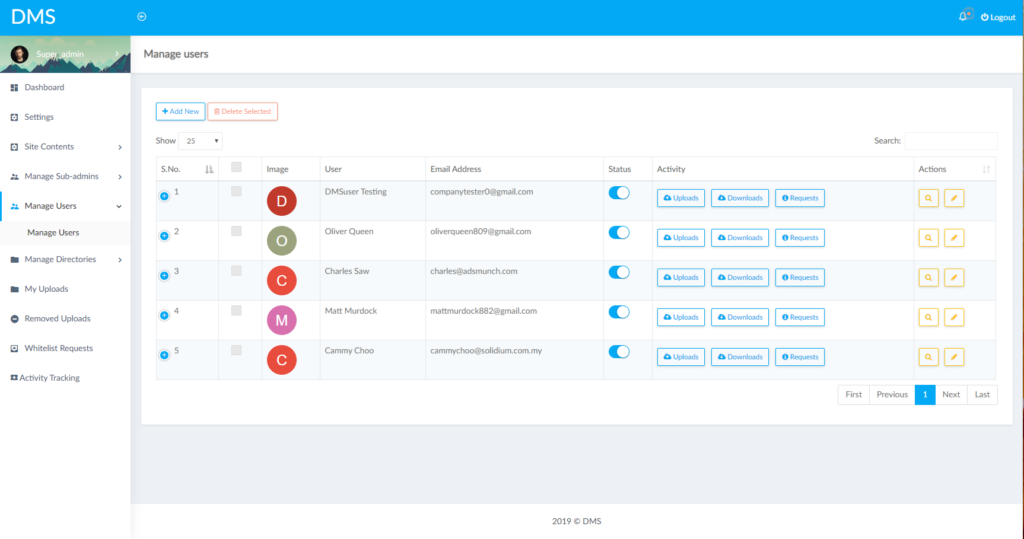
Permission and approval control
Users can be given the right level of access based on their role.
- Role-based access
- Review and approval status
- Controlled download access
- Admin management
03
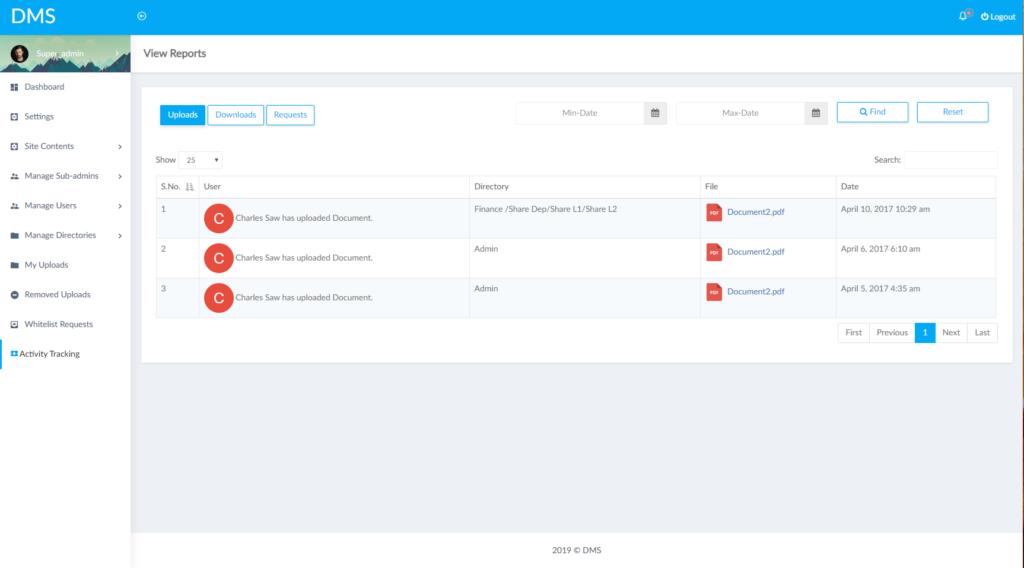
Activity history and AI-ready data
Document activity can be logged, and organised files can later support AI processing.
- Upload and download logs
- Approval history
- Document visibility
- Future AI extraction or summary
KEY FEATURES
Features highlighted in this DMS case study.
The system is focused on practical document organisation and governance.
01
Document library
Centralised file storage with structured categories.
02
Access control
User permissions for viewing, uploading, approving, or downloading.
03
Approval workflow
Review and approval steps for controlled document release.
04
Activity logs
Track upload, download, review, and approval actions.
05
Search and filter
Find documents faster by category, status, or details.
06
AI-ready structure
Prepared for future document extraction, summary, and classification.
IMPLEMENTATION FLOW
How a similar DMS can be approached.
A document system should start with document types, access rules, and review workflow.
01
Classify documents
Review document types, categories, owners, and users.
02
Define access rules
Plan who can view, upload, approve, download, and manage documents.
03
Build the DMS workflow
Create library, permissions, approval status, activity logs, and dashboard views.
04
Prepare for AI later
Once documents are structured, AI can support extraction, summary, and search.
FAQ
DMS Case Study FAQ
Common questions about building a similar document management system.
Can this support different departments?
Yes. Categories, permissions, and workflows can be planned by department.
Can approvals be customised?
Yes. Approval steps can follow your internal review process.
Can user activity be tracked?
Yes. Uploads, downloads, approvals, and other actions can be logged.
Can AI read the documents later?
Yes. AI document processing can be added after the document structure is clear.
This case study is a reference for custom DMS planning. Final scope depends on document types, permissions, approval flow, storage needs, and AI requirements.
BUILD SOMETHING SIMILAR
Need a better way to manage documents?
We can help plan a DMS that organises files, controls access, and supports future AI document workflows.