

Choosing inventory software in Singapore starts with how stock moves through your business. A retailer, distributor, engineering firm and warehouse may all need different workflows. Before comparing tools, map how you receive goods, store them, issue or sell them, and record adjustments. This guide explains the core functions to assess and when a warehouse management system (WMS) may be a better fit.
What does inventory software do?
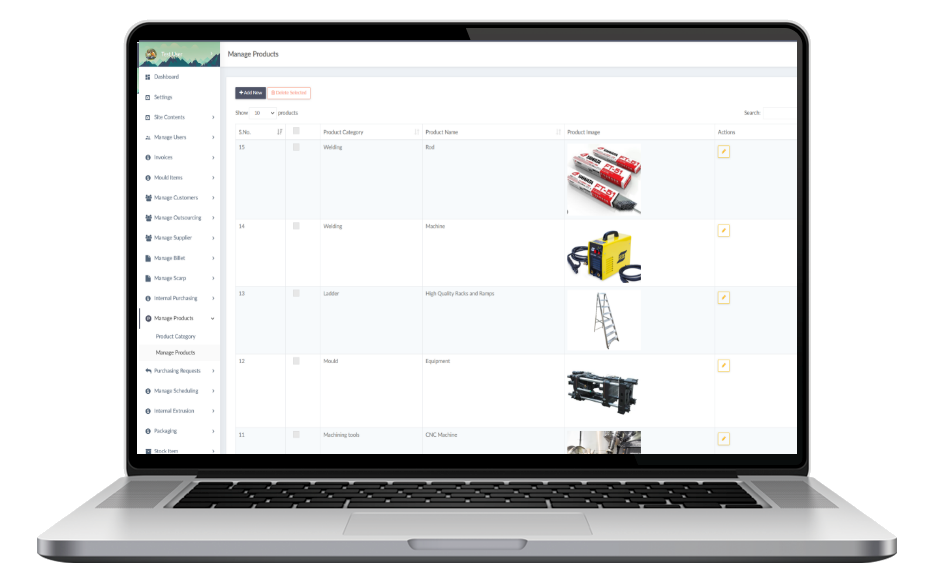
Inventory software keeps structured records of items, quantities and stock activity. Depending on the system and project scope, it can help a team record goods received, transfers between locations, stock adjustments, picking, packing and outgoing orders. A shared record can make it easier to see what was entered, when it changed and which workflow needs attention.
Inventory tools vary. Some focus on sales and stock balances; a WMS focuses more closely on warehouse locations, movement and fulfilment tasks. Broader business systems may connect inventory with purchasing, sales, finance or service operations. Confirm the workflows and integrations you need before assuming they are included.
When should a Singapore business consider a system?
A system may be worth assessing when spreadsheets are difficult to keep consistent across staff, stock locations or branches. Common signs include repeated count differences, unclear movement history, slow picking and packing, duplicate data entry, or reports that take too long to prepare. Software can organise these processes, but accurate results still depend on clear item records, agreed procedures and timely updates by the team.
Functions to evaluate
- Item records: SKU or item codes, descriptions, categories and units of measure.
- Locations: How the system represents warehouses, zones, shelves or branches.
- Receiving: Recording incoming goods and checking quantities against expected deliveries.
- Stock movement: Transfers, issues, returns and adjustments, with a reason or history where required.
- Picking and packing: Task steps, status updates and the information staff need to fulfil orders.
- Roles and activity: Which users can perform each action and what activity managers need to review.
- Reports and alerts: Stock balances, movement, exceptions and replenishment thresholds that fit your process.
- Access and integrations: Mobile use, accounting, ecommerce, POS or ERP connections should be checked against your current systems and project scope.
Inventory software or warehouse management system?
If your main need is to maintain stock quantities, a simpler inventory workflow may be enough. If staff need to manage receiving, storage locations, transfers, picking, packing and outgoing goods, assess a WMS. ADSM develops configurable warehouse management software for Singapore SMEs, with scope shaped around the warehouse’s processes. See our warehouse management system in Singapore for the workflows and functions we support.
A practical selection checklist
- Map one complete stock journey, from receiving through storage to dispatch or use.
- List item data, locations, user roles and current systems that must be retained.
- Identify the reports, exceptions and approvals managers need.
- Prioritise essential workflows for an initial release; leave lower-priority automation for later phases.
- Test with realistic stock movements, exceptions and user scenarios before rollout.
- Agree who maintains item data and how staff will handle counts and corrections.
Frequently asked questions
Can inventory software replace spreadsheets?
It can centralise stock records and movement workflows, if the system is designed for your requirements. The transition also needs clean item data, agreed processes and staff adoption.
Can it support multiple warehouses or branches?
That depends on the product or project scope. Confirm how locations, transfers, user permissions and reporting will work across sites before selecting a system.
Will it connect to our accounting, ecommerce or POS software?
Do not assume a connection is available by default. Share the system names, data to exchange and direction of updates during scoping so the integration can be assessed.
What information should we prepare?
Prepare a sample item list, location structure, stock movement steps, user roles, current tools and examples of the reports or problems you want to address.
Looking for a tailored approach? Discuss your inventory or warehouse workflow with ADSM Tech. We can first understand your operations and determine whether a WMS or a broader business system is appropriate.