

Intelligent document classification identifies the type of a file, while tagging adds useful labels such as supplier, project, department or document date. Together, they help a document management system organise incoming records and make them easier to retrieve. The quality of the result depends on clear categories, representative documents and a review process for uncertain cases.
For a Singapore SME handling invoices, purchase orders, contracts and delivery orders, the practical goal is straightforward: put the right document in the right workflow without asking staff to retype everything. AI can assist with that work, but it should not silently decide who can access a confidential file.
Classification, extraction and tagging do different jobs
- Classification answers: is this an invoice, purchase order, contract or another document type?
- Extraction reads fields from the document, such as its reference number, supplier and date.
- Tagging attaches approved labels so people can search, filter and route the record consistently.
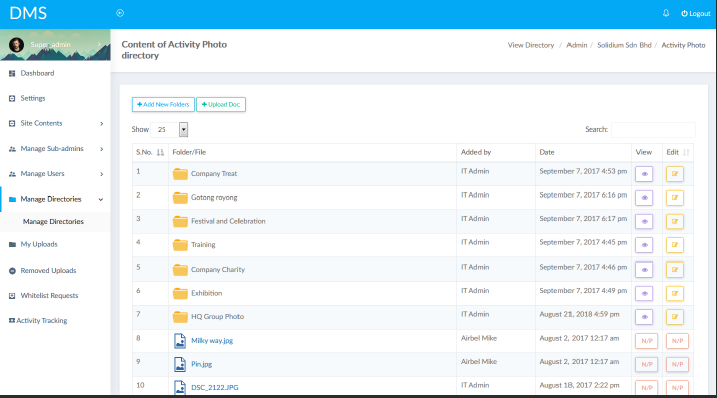
A document management system provides the storage and document-control layer. An AI processing component can work alongside it. Not every DMS includes automatic classification, and a filing screen alone does not demonstrate AI extraction or accuracy.
Define a small, useful set of categories
Start with document types that lead to different actions. An invoice may go to finance for checking; a signed contract may need a restricted folder and a renewal task. Avoid creating dozens of overlapping categories that even experienced staff cannot distinguish reliably.
Use a controlled tag list for departments and projects. Match supplier names against an approved master record where possible, rather than creating a new tag for every spelling variation. Keep the original file and extracted text available so reviewers can trace the source of a decision.
Send uncertain results to a review queue
Scanned pages, unusual layouts and missing information can produce incorrect classifications or fields. Test examples from different suppliers and include poor-quality documents, not just the cleanest samples.
Microsoft documentation on document-processing confidence explains how confidence can help route predictions for human review. It is not a substitute for testing on your own documents. A confidently predicted supplier can still be wrong; critical fields should also pass business checks.
For example, require a reviewer when the document type is unclear, the supplier cannot be matched or a required reference is missing. Set thresholds using pilot results and the consequences of an error, rather than applying one arbitrary score to every document.
Keep permissions and approval rules separate
A suggested tag should not automatically grant access, delete a record or approve a payment. Configure role-based permissions, retention rules and approval steps explicitly. Record who changed a classification and why, and make it possible to correct mistakes without losing the original version.
Measure the work that remains after automation
- Classification accuracy by document type, using a separately reviewed sample.
- Required-field accuracy, especially supplier, reference, amount and date.
- Percentage of documents needing review and the time reviewers spend.
- Misfiled records, duplicate entries and corrections after release.
These measures show whether the process reduces administration without shifting hidden errors into the DMS or ERP. Test a small document set first and expand only after the review process works reliably.
Connect document organisation to the next business task
ADSM can scope AI document processing around the files and systems your team already uses. Where records must move between applications, AI integration services can define the field mapping, review checkpoints and destination workflow. For an invoice-specific example, see our guide to AI invoice processing. The starting point is a representative set of documents and a clear definition of what staff should check before the record moves on.