

A web-based management system is business software staff use through a browser to manage shared work and records. Instead of passing spreadsheets between departments, a company can track enquiries, jobs, documents, stock or approvals in one application. The right design depends on the workflow, users and information the business already has.
What is a web-based management system?
The application runs on a server or cloud platform. Staff sign in through a browser, enter or review information, and the system stores records in a database. Access can be tailored to each role. A web-based system may be a customer portal, internal operations tool, document platform, warehouse system or a combination of connected modules.
For example, an engineering company might receive a service request, assign a technician, record work completed and generate a report. A distributor might track stock, enquiries, quotations and order status. These are different processes, so a useful system should reflect how each team actually works.
How does it work day to day?
- A user submits or updates a record through the browser.
- The application checks required fields, permissions and workflow rules.
- The database stores the record and links it to related customers, jobs or products.
- Relevant staff see the next task, alert or approval request.
- Managers review status and reports using current information.
Connections to accounting, CRM, email or other tools can be added where an integration is feasible and useful. Mobile layouts can support work away from a desk, though features and connectivity requirements need to be designed for the actual operating environment.
Common types for Singapore SMEs
- Sales and customer management: capture enquiries, track quotations and schedule follow-up. See our CRM system example.
- Warehouse and inventory: record receipts, stock locations, picking and dispatch. Explore warehouse management systems.
- Document management: organise files, access rights, versions and approval workflows.
- Operations and production: track jobs, output, equipment or service activity according to the process.
- Customer or partner portals: let authorised external users submit requests and check progress.
What are the practical benefits and trade-offs?
A browser-based system can give teams shared records, clearer handovers and easier access across locations. Updates to the application can be deployed centrally, although staff still need testing, training and change management. A well-designed system can reduce duplicate entry, but it will not fix unclear ownership or poor source data on its own.
Plan for internet availability, user permissions, backups, support and data migration. Costs depend on whether an existing product fits, the number of users, workflow complexity, integrations and ongoing maintenance. A custom build is most useful when the process or required connections cannot be served adequately by an off-the-shelf product.
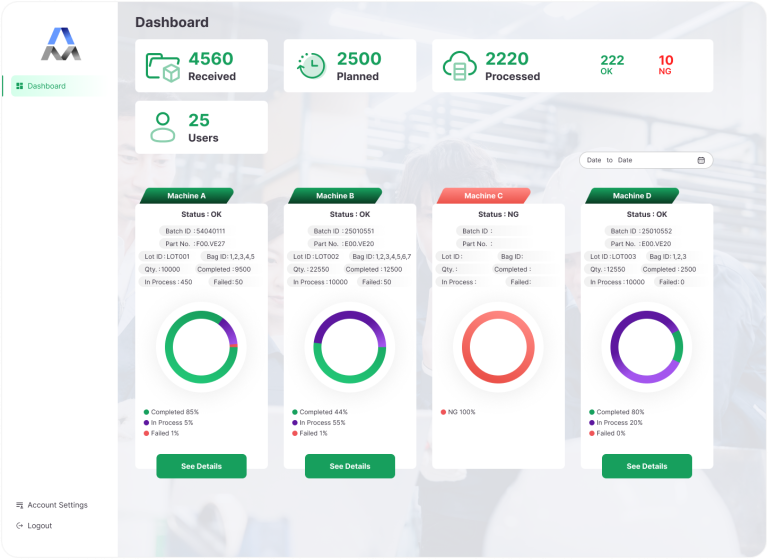
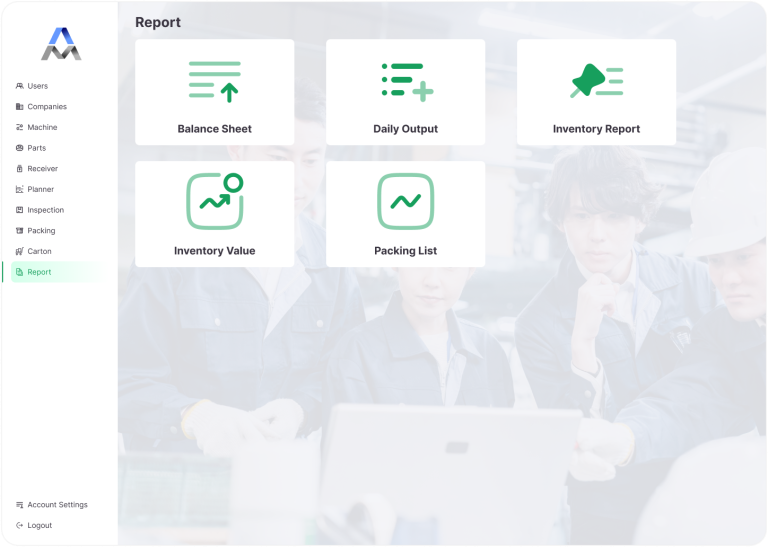
Examples of ADSM system interfaces
These interface examples show production status and operational reporting views. They illustrate the kinds of records a browser-based system can bring together; the fields and workflows for a new project would be designed around its requirements.
How to plan a system that fits
Start with one workflow and a few representative records. Identify who creates each record, who approves it, what status changes matter and which reports staff rely on. Review the current spreadsheets and software before choosing modules. Then test a first version with real scenarios and improve it from user feedback.
ADSM develops custom business systems and web applications for operational workflows. If you are evaluating a web-based management system, tell us which process you want to improve and what tools your team uses today.