

CASE STUDY
Operation management system for clearer business workflow.
A custom business system case study showing how structured records, workflow status, user roles, and dashboards can help SMEs move beyond scattered manual tracking.
01
Custom business workflow system.
02
Built around records, status, roles, and reporting.
03
Suitable for SMEs moving away from spreadsheets.
04
Can be extended with AI and automation later.
PROJECT CONTEXT
The business needed clearer operational visibility.
Many SMEs manage daily operations through spreadsheets, chat groups, and manual updates. This creates duplicated work, missed follow-up, and weak management visibility.
01
Scattered records
Operational information was difficult to track consistently across users and teams.
02
Manual status updates
Teams needed a clearer way to update progress, ownership, and next actions.
03
Limited reporting
Managers needed better visibility into activity, workload, and bottlenecks.
SOLUTION STRUCTURE
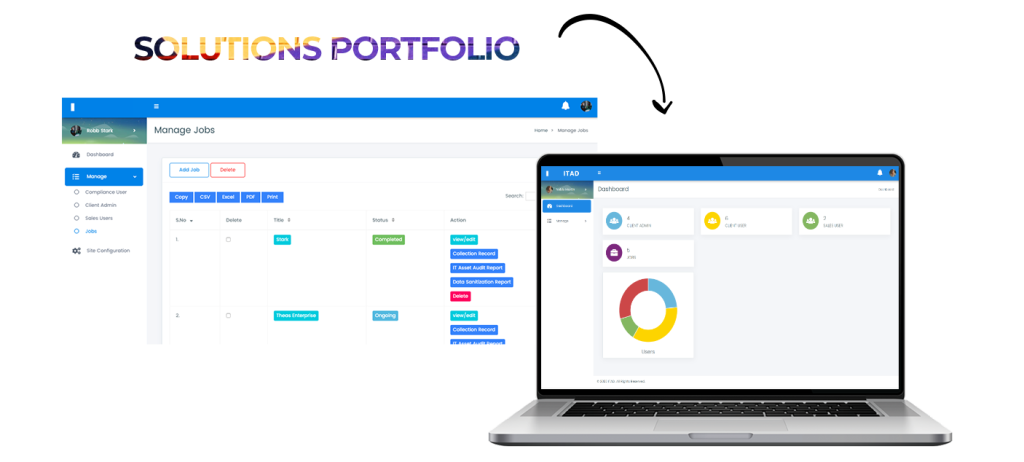
A custom operation system organised around daily work.
The solution focused on centralising records, creating practical workflow status, and giving the team a clearer dashboard for operational tracking.
01
Centralised operational records
Key business records can be created, searched, filtered, and managed in one place.
- Record creation and editing
- Search and filter views
- Status and ownership tracking
- Role-based access
02
Workflow status and activity
The system helps staff update progress and gives managers better context.
- Task and status updates
- Activity history
- Internal notes
- Clear next actions
03
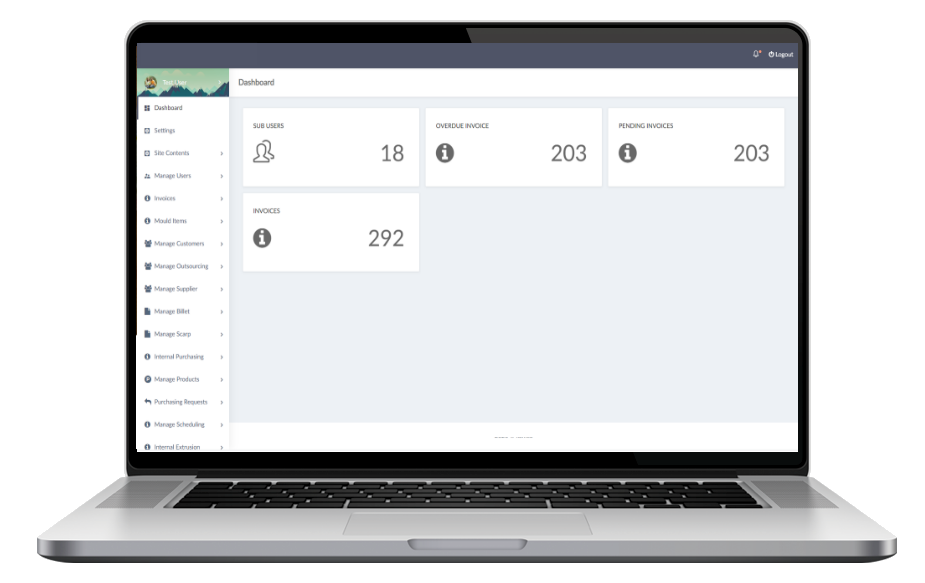
Dashboard and reporting direction
Management can review work status and operational activity more clearly.
- Operational dashboard
- Progress visibility
- Basic reporting
- Future AI and automation readiness
KEY FEATURES
Features highlighted in this case study.
The feature set focuses on practical workflow control rather than unnecessary complexity.
01
Admin dashboard
A central place for managers to review records and system activity.
02
User roles
Different access levels for admin, manager, and staff users.
03
Data forms
Structured forms to reduce messy or incomplete information.
04
Status tracking
Clear workflow stages so teams know what is pending or completed.
05
Search and filters
Fast lookup for records, status, dates, and assigned users.
06
Reporting foundation
Data structure that supports dashboards and future reports.
IMPLEMENTATION FLOW
How a similar project can be approached.
A custom system should start from the real workflow, then grow module by module.
01
Map the workflow
Review current spreadsheets, messages, records, users, and pain points.
02
Define the first module
Choose the most important operational workflow for the first version.
03
Build core functions
Create forms, roles, dashboard, status tracking, and basic reports.
04
Test with real cases
Use actual business scenarios to refine fields, filters, and workflow steps.
FAQ
Operation System Case Study FAQ
Common questions about building a similar business system.
Can this be customised for another industry?
Yes. The workflow, fields, roles, and reports can be planned around your business process.
Can we start with one module first?
Yes. Starting with one practical module helps control cost and reduce risk.
Can AI be added later?
Yes. Once data and workflow are structured, AI can support summaries, search, documents, or automation.
Is this different from a normal website?
Yes. A business system lets users log in, manage records, update status, and generate reports.
This case study is a reference for how ADSM Tech approaches custom workflow systems. Final scope depends on your users, modules, reports, and business rules.
BUILD SOMETHING SIMILAR
Need a clearer operation management system?
If your team relies on spreadsheets, WhatsApp messages, or manual tracking, we can help plan a practical first version.